The short answer
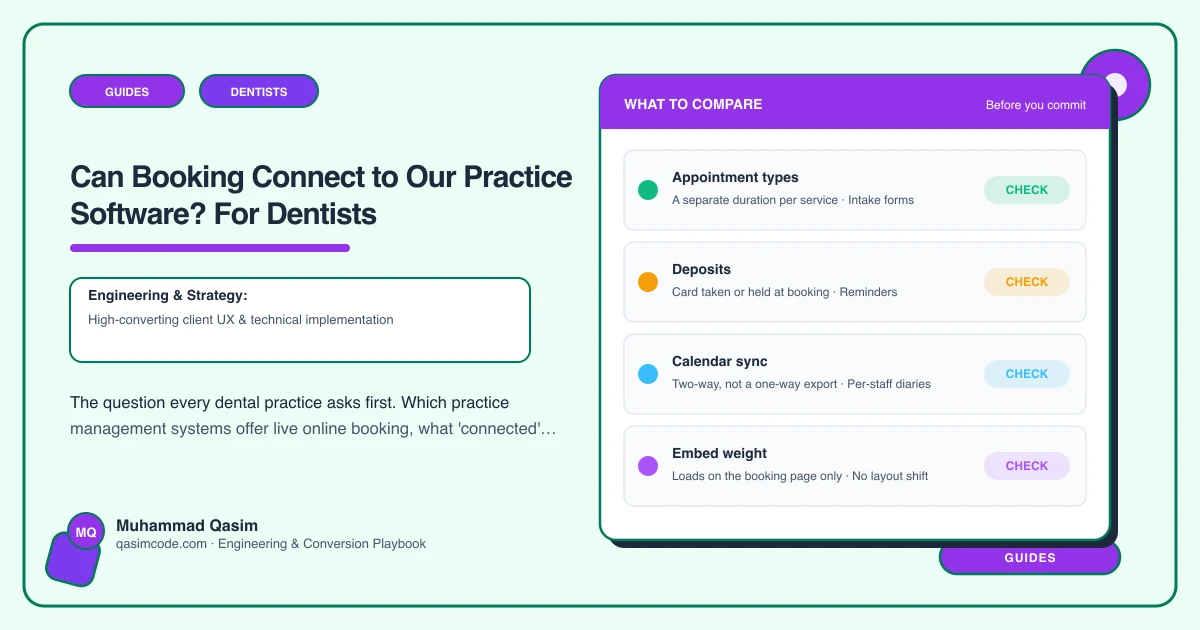
Usually yes, and it depends entirely on which practice management system (PMS) you run. Most current systems include online booking that reads and writes the live diary. Some older or server-based systems offer only a request form or need a third-party layer. A generic booking tool that does not talk to your PMS is never the answer, because it creates a second diary.
Here is what "connected" means, which systems do it, and what to do if yours does not.
What connected means
Three levels, and only the third is real online booking:
- A link to a form. The patient requests an appointment; reception phones back and books it in the PMS. Not connected. Adds a step for everyone.
- A tool with its own calendar, synced one way. A booking made in the tool is pushed into the PMS as a note or an appointment, but the tool's availability is not the PMS's real availability. Double bookings and reconciliation follow. Avoid.
- Live two-way booking. The website shows the PMS's actual free slots for the chosen clinician and appointment type; the patient books; the appointment appears in the PMS diary immediately with the patient record created or matched; confirmation and reminders go out. Reception does nothing. This is the target.
Which systems offer live booking
As of 2026, in broad terms:
- Dentally (UK, cloud): yes, via its patient portal. Live availability, deposits, reminders.
- Software of Excellence / EXACT (UK, international): yes, via the Online Booking module. Live, configurable, embeddable.
- Dentrix Ascend (US, cloud): yes, native online scheduling.
- Dentrix (server): via Henry Schein's engagement products or third-party integrations; often request-based unless a layer is added.
- Open Dental (US): yes, via its Web Sched eServices.
- Curve Dental (US, cloud): yes, integrated.
- Eaglesoft (US): via partner tools.
- Carestream / Sensei Cloud: yes, within its engagement suite.
- Praktika, Dental4Windows, Oasis (AU/NZ): modules or partner integrations; check the current offering.
- Others: check with the vendor, and ask specifically whether the booking is live two-way.
Vendors change this regularly. The question to ask yours: "Does your online booking show live availability and write directly to the diary, and can the website deep-link to a specific appointment type and clinician?"
If yours does not
A dental-specific booking layer. Products such as NexHealth, Local Med, Weave or RevenueWell (US) and equivalents elsewhere integrate with many PMSs, read the diary, and provide a live booking widget for the website plus reminders and forms. A monthly fee; genuinely live. Worth it for practices whose PMS is stuck at request-based booking.
Configure the request form well in the meantime: minimal fields, a clear promise of when reception will respond, and reception actually responding within the hour during opening times. Not as good as live; far better than a form nobody answers.
Consider the PMS itself. If you are due to change systems, the quality of online booking is now a legitimate selection criterion.
Checking yours in ten minutes
- Log in to your PMS and look for "online booking", "patient portal" or "web scheduling" in settings. Is it available? Enabled?
- If enabled, open the booking link as a patient on your phone. Do you see live slots? Can you complete a booking?
- Check the diary. Did it appear, with the right type and clinician?
- Did a confirmation arrive?
- Look for URL parameters or settings that pre-select appointment type and clinician. That is what lets the website's hygiene page book hygiene directly.
If step 1 finds the feature and it is off, the fix is configuration, not a website project. If step 2 shows no slots, the diary rules need adjusting. If the feature does not exist, you are choosing a layer or a form.
What the website then does
With live booking available, the website's job is to make it one tap from everywhere: a Book button in the header, deep links per treatment and clinician, a dedicated booking page, an emergency path, tracking on every button, and a fallback phone number and callback form. That is the part we build; the connection itself belongs to the PMS.
Where this sits
"Which system do you run?" is the first question in every dental practice website conversation, because the answer decides whether the booking work is configuration, integration or a layer. We have wired all three routes and will tell you which yours needs before quoting.