What Autoflow gives you
Autoflow is garage management software used widely by UK independents. For the website, the piece that matters is its online booking: the driver enters a registration, Autoflow looks up the vehicle, shows the services and tests you offer with prices where you have set them, and offers slots from your workshop diary. The booking lands in the diary with the vehicle attached, and Autoflow handles confirmations and the reminders for the next service or MOT. After the car is in, its digital vehicle health checks send photos and prices to the driver's phone for approval, which is the honesty mechanism drivers respond to.
The website question is where the booking goes and how it loads. The answer: on the pages where the driver wants to book, and never on every page.
The rule
Nothing from Autoflow loads until the driver taps Book. The home page, the Services and prices page, the MOT page and the Tyres page are for reading, comparing and ranking on Google; they link to the booking. One dedicated page carries it.
The Book online page
Autoflow's booking on a single page, /book, with one line of reassurance ("Enter your registration, pick the job and a time; you will get a confirmation by text"), the phone number for anyone who prefers it, and a line each on courtesy cars, collection and waiting facilities. Nothing else: no gallery, no reviews widget, no map.
Keep it fast:
- Reserve the booking's height in CSS so the page does not jump while it loads.
- Preconnect to Autoflow's domain in the document head.
- Load the booking script on this page only, after the page's own content.
- No other third-party scripts on this page apart from analytics.
<link rel="preconnect" href="https://[your-autoflow-booking-host]">
<div class="booking" style="min-height: 720px">
  <!-- Autoflow booking embed goes here -->
</div>
Where the embed is heavy on older phones or misbehaves inside Instagram's in-app browser, link those entry points to Autoflow's hosted booking page instead, with your logo on it, and a way back to your site.
Deep links from service pages
Every menu item on the Services and prices page, every test on the MOT page and every fitting on the Tyres page carries a Book button. Where Autoflow's booking supports a pre-selected service through a link parameter, use it so the driver lands on the booking with "Full service" already chosen. Where it does not, the button opens the Book online page with the service named at the top and the driver picks it in one tap.
The Repairs and diagnostics page does not carry a Book button for faults. It carries the fault form. Sending a knocking noise into a fixed-price booking is how a garage ends up with a slot booked for the wrong job.
Configure Autoflow first
Before wiring the site:
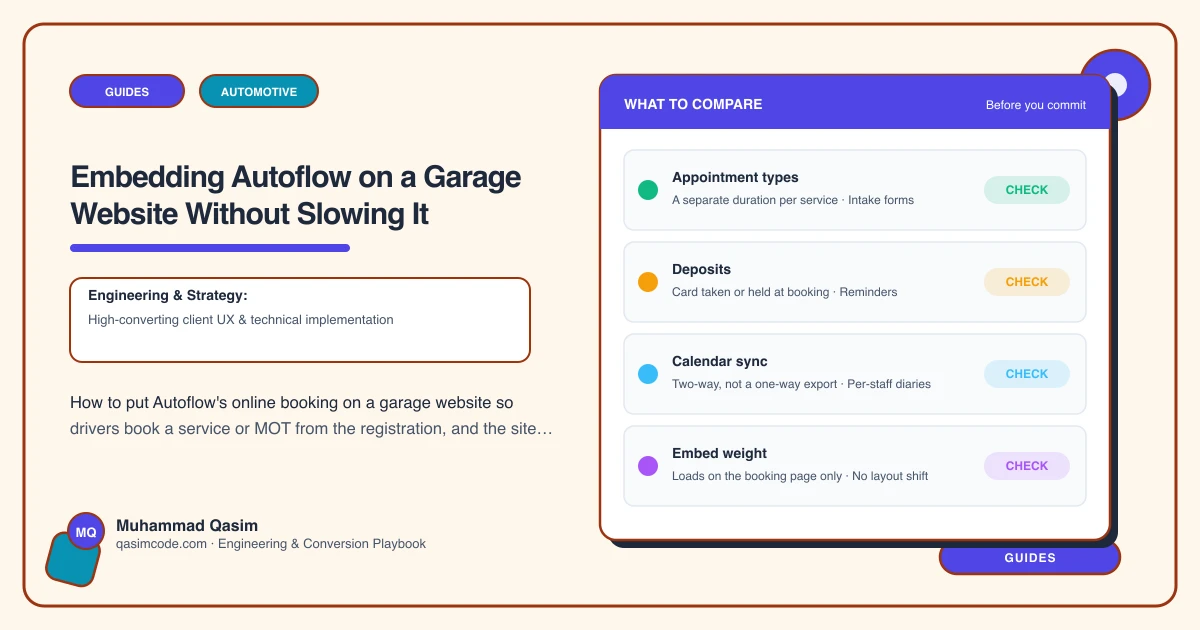
- Every bookable service has an accurate duration, a price where fixed, and the right ramp or technician.
- The diary reflects real opening hours and real capacity, so a slot offered is a slot you can honour.
- Confirmation and reminder texts read in your voice, with your number.
- Someone at the front desk sees new bookings the same day.
Book a test service from a phone and check it appears in the diary before the site goes live.
Tap-to-call stays
Autoflow does not change the hierarchy on a phone. A Call button in the header and a sticky bar at the bottom with Call and Book. The driver with a car that will not start is not filling in a booking. The driver with a service due is.
Testing on phones
Safari and Chrome on iOS and Android, and inside Instagram's and Facebook's in-app browsers, since a lot of local garage traffic arrives from community groups. Complete a booking in each. Check the confirmation text arrives and the diary shows the vehicle. Check the Book online page loads in under two seconds on a mid-range phone on mobile data.
Tracking
booking_clickwhen a Book button is tapped, with the page and the service as parameters.- A thank-you or confirmation state so completions register in analytics.
- Autoflow's own reporting for bookings by source.
- Monthly: bookings by service page and by MOT page, beside calls and fault forms.
Monthly check
From a phone, book one service and one MOT through the site, and send one fault form. Confirm all three land. Autoflow updates its booking from time to time; find out before a driver does. This is on the care plan for every Autoflow site we look after.
Common mistakes
- The booking embed on every page, slowing the site for the majority who are reading prices.
- Book buttons on faults that cannot be priced.
- Services in Autoflow with no duration, so the diary offers impossible slots.
- Prices on the website that differ from prices in Autoflow.
Other software
Garage Hive, Shopmonkey, Tekmetric and Workshop Software follow the same pattern. The embed changes; the layout does not.
Where this sits
Autoflow is the garage software we wire into automotive business websites most often in the UK, and this setup, one dedicated booking page, deep links from every menu item, the fault form for what cannot be priced, tap-to-call first and tracking on everything, is the version that keeps the site under two seconds and the diary filling itself. Autoflow runs the workshop; the site gets the driver into it in one tap.