The moment the site exists for
Everything else on a coaching or therapy website, the specific pages, the credentials, the prices, leads to one action: the client books a first session without having to email, wait, and be sold to. Most sites break at this point. The button says "Get in touch", the form asks for a message, and the reply comes two days later. Here is how to set the first step up so it happens on the site, in the client's evening, with nothing for you to do until they arrive.
1. Decide what the first step is
It differs by practice, and the site should offer one clear option, not three.
- Life, business and career coaches: a free discovery call, 20 to 30 minutes, video or phone, with a short form about the client's situation.
- Hypnotherapists: an initial consultation, often paid and longer than a discovery call, with an intake form, because the first session does real work. See the hypnotherapist sub-page for why a what-happens page sits beside this.
- Holistic therapists: the treatment itself, booked with a duration and a deposit.
- Health coaches: a first session or consultation with an intake form covering history and goals.
- Doulas and sleep consultants: a free chat, booked in one tap, with a couple of questions about the due date or the child.
- Relationship therapists: a confidential enquiry or first session, often for one partner initially.
Write the first step on the Book a session page in one line: what it is, how long, what it costs, what happens in it.
2. Pick the tool
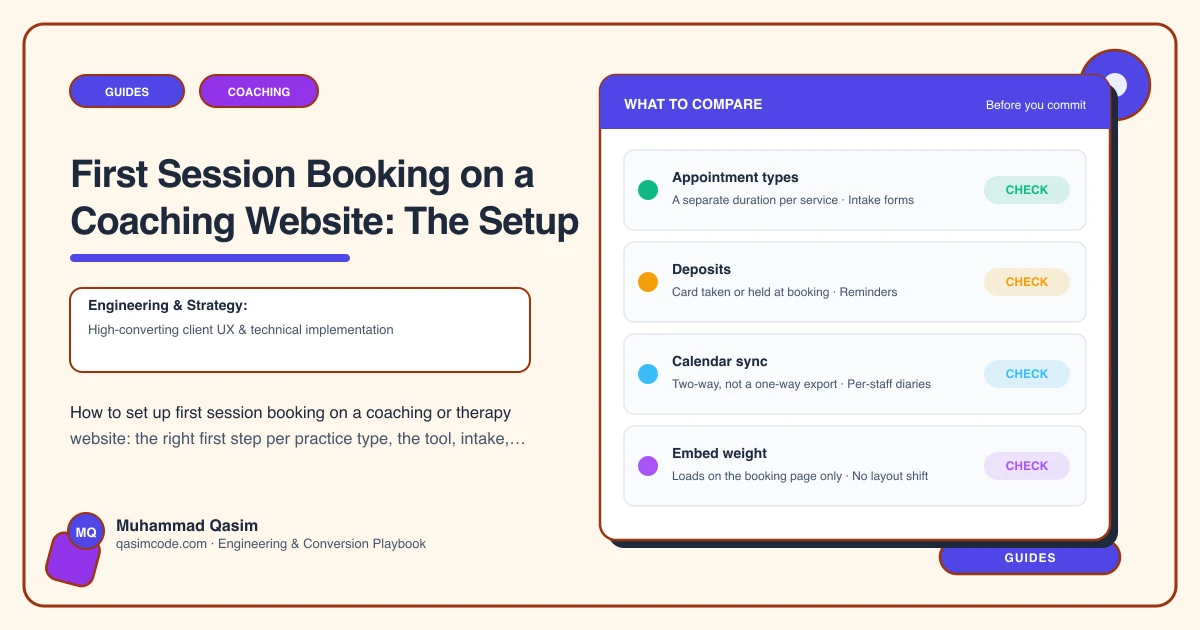
Acuity, Calendly, Paperbell, CoachAccountable and Practice Better all do the core job: show your real availability, take the booking, send the video link and reminders. Acuity and Calendly are general schedulers with intake questions and payment. Paperbell adds packages, contracts and a client area built for coaches. Practice Better adds intake forms and a client portal built for health and wellness practitioners. Hypnotherapists and relationship therapists often use practice-management tools such as Zanda, Jane or SimplePractice which handle notes and records as well. The site does not care which; it needs a link or an embed and a webhook or confirmation.
3. Keep the intake short
Three to five questions at booking: what brings you, what you hope changes, anything I should know, and for health-adjacent work a consent line. The long history form, if you need one, goes in the confirmation email or the client portal to be completed before the session. Every extra question at booking loses someone.
4. Online and in person
If you offer both, the booking shows them as separate appointment types, each with its own duration and price, and the confirmation says which platform (Zoom, Google Meet, Teams) or which address. A line on the Book page explains how online sessions work: the link arrives in the confirmation, headphones help, a private room. Clients new to online therapy need this said.
5. Payment
Discovery calls: free, no card. Paid first sessions: paid at booking through the tool's Stripe, Square or PayPal connection, or a deposit with the balance after. Holistic treatments: deposit at booking, stated on the Prices page. A paid booking is a kept booking.
6. Confirmation, reminders, buffers
The confirmation in your voice, with the video link or address, what to bring or prepare, and the cancellation policy. A reminder the day before and an hour before. Buffers between sessions in the tool's settings so the client after a run-over session is not kept waiting. Time zones detected automatically for online work; the tool does this, but check it shows the client's local time.
7. After booking
A thank-you page on your site, not the tool's, so the completion registers in analytics and so the client reads what happens next: "You'll get an email with the link. Before we meet, have a think about what you'd like to be different." The thank-you page is also where a pre-session questionnaire goes.
8. Privacy
Bookings and intake answers are personal data and, for anything health-adjacent, sensitive data. They live in the booking tool, under its data agreement, not in your site's database or your inbox. The relationship therapist sub-page describes the standard: nothing stored on the site, a confidential route, and the tool holding the record.
9. Where the button goes
Book a session in the header on every page. A Book button under every who-I-work-with page, with that appointment type pre-selected. Under each package on Prices. On About. The client decides on the page they are reading and should not have to hunt.
Testing it
Book yourself from a phone, in Safari and Chrome and inside Instagram's browser, for each appointment type. Check the confirmation, the video link, the reminder, the payment, and that your calendar blocked the slot. Do it monthly; tools change their embeds and integrations break quietly.
Where this sits
A first session booked online, with one clear first step, a short intake, a video link sent automatically and a confirmation that reads as you, is one of the six things every coaching practice website we build has to do. The tool takes the booking; the site is what makes the client ready to press the button.