A slot on its own is not enough
A booking that says "Tuesday, 2pm, Sam" tells a repair business nothing useful. The bench needs to know it is an iPhone 14 with a cracked screen and a working touch layer, or a nine-year-old Bosch washing machine that fills but does not spin, or a road bike with a creaking bottom bracket. Without that, the customer arrives, somebody spends ten minutes with a notepad, and the part that would have fixed it that day is not in the drawer.
Fault capture is the difference. It is the set of questions the booking form asks between "what do you need" and "pick a time", and it is what turns a diary entry into a job that can be prepared for.
The questions, by shape of business
Keep the form to what the technician would ask on the phone. Four to seven fields, most of them taps.
- Phone and computer: device type, make, model or a model picker, the fault from a list (cracked screen, battery, charging port, water damage, will not boot, slow, other), whether the device powers on, whether it is under any existing warranty, passcode handling, and a note that data is not accessed beyond what the repair needs.
- Appliance: appliance type, brand, approximate age, model number and where to find it, the symptom from a list (no power, will not drain, leaking, not heating, noisy), and the address and access details for the callout.
- Camera and electronics: device, model, symptoms in free text with a prompt, photos, and whether it is coming in by post or in person.
- Bike: bike type including e-bike, brand, the service level wanted, the specific problem, and whether collection is needed.
- Watch and jewellery: item type, metal or movement where known, the work wanted (resize, restring, battery, full service), photos, and appointment or insured mail-in.
- Shoes and alterations: item, the work wanted from a list, photos, and drop-off or post.
Two universal fields sit under all of them: photos, and how the item is arriving. Photos of a cracked screen, a model plate behind an appliance door or a broken clasp save a phone call every time.
Booking modes
A repair business rarely has one. Build the form so the mode is chosen first and the following questions change with it:
- Drop-off. A slot at the counter, or an open window if you take walk-ins, with the fault captured either way.
- Mail-in. No slot, a shipping label or packing instructions, and a job number issued immediately so the customer can quote it.
- Visit or callout. Address, access, parking, a time window rather than a fixed minute, and the callout fee stated before the customer commits.
- Business enquiry. Not a slot at all. This one goes to the support route, not the workshop diary.
Wiring it to the software
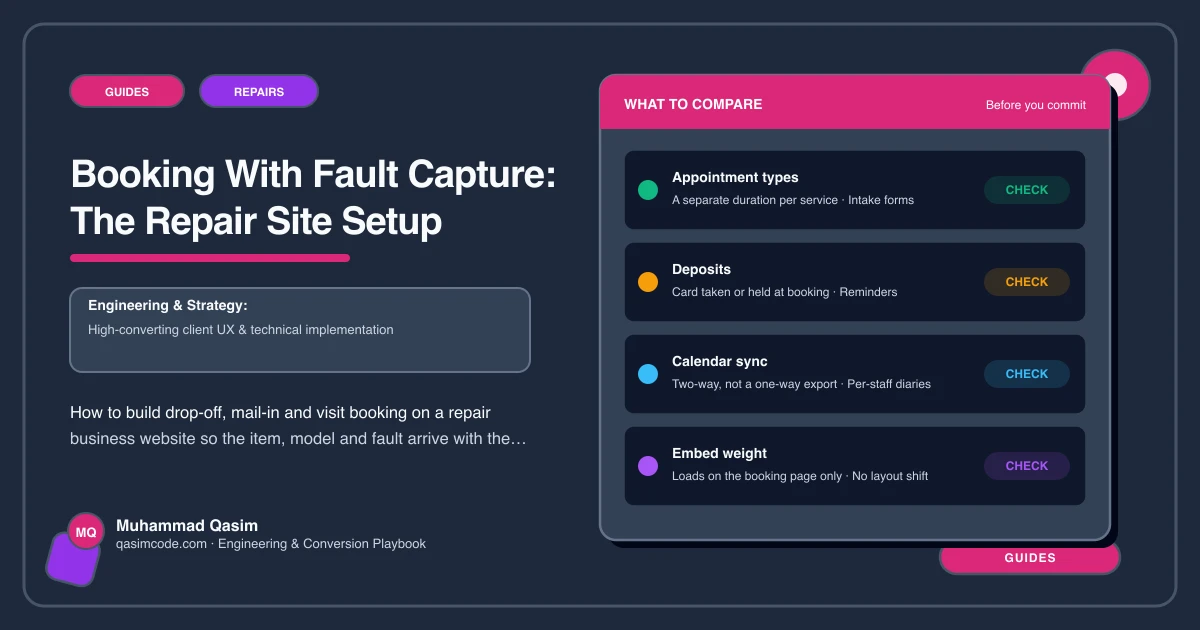
The booking should land where the job will be managed, not in an inbox. RepairDesk and RepairShopr create tickets with device and fault fields and issue a ticket number. Housecall Pro and Jobber take a job with the address, the appliance and the fault, and put it on a technician's schedule. Acuity handles appointment-shaped work such as jewellery consultations, bike fittings and drop-off slots, with intake forms attached to the booking.
Where the tool has its own booking page or embed, use it and let its fields do the capture. Where it does not, the site form posts through an automation step that creates the ticket or job with the answers and the photos attached. Either way, the person who preps the bench sees the model and the fault before the item arrives.
Set the durations honestly in the software first. A screen swap and a board-level repair are not the same slot, and a diary that offers impossible times is worse than no booking at all.
Where the booking lives
One page, /book, carrying the embed, with nothing else on it apart from a line of reassurance, the phone number and the opening hours. The Repairs and prices page, the home page and each brand page link to it with the repair pre-selected where the tool supports a link parameter. Nothing from the booking tool loads on the pages people read, which keeps the site under two seconds on a phone.
The lines around the form
- "Prices for common repairs are on our prices page. If yours is not listed, book a diagnostic and we will confirm the cost before any work."
- "Nobody goes through your files. We access only what the repair needs."
- "You will get a job number and a link to track the repair."
That last line is the handover to job tracking, and it is the reason the status calls stop.
Sub-types
A phone and computer repair shop needs a model picker and the data privacy line above everything. An appliance repair business captures brand, age and area, and shows the callout fee before the slot. An electronics repair specialist leads with mail-in and packaging guidance. A bike shop captures the bike and the service level, with a separate e-bike route. A jewellery repairer captures the item with photos and offers insured postage. A shoe repair and alterations business captures the item and the work with a turnaround shown.
Testing it monthly
Book one of each mode from a phone, with photos, and time how long the ticket takes to appear. Check the photos open at a usable size and the model reached the ticket. Integrations break quietly, and the first sign is usually a customer who says they booked and heard nothing.
Where this sits
Booking with fault capture is one of the six must-haves on every repair business website we build, and it is on the Book a repair page from launch, wired to whichever of RepairDesk, RepairShopr, Housecall Pro, Jobber or Acuity you already run. The build is part of the fixed-price packages. The slot fills the diary; the fault capture is what makes the slot worth having.