What a babysitting booking actually has to collect
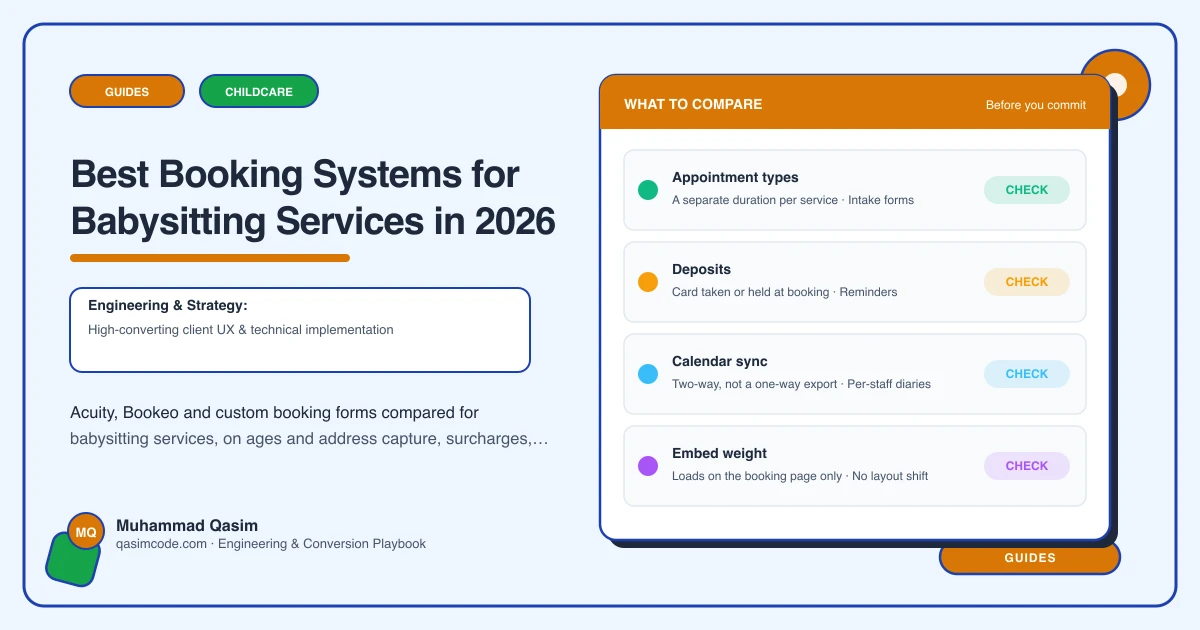
Most booking tools are built for a haircut: one person, one chair, one hour. A babysitting booking is different in five ways, and those five differences are the whole comparison.
It is variable length, because a parent going to dinner books four hours and a parent going to a wedding books nine. It is priced by the hour with a minimum, not per service. It has surcharges that depend on the clock and the calendar, for late nights, bank holidays and short notice. It needs facts a haircut never needs: how many children, their ages, the address, allergies, bedtime routine, pets, whether anyone else is in the house. And a large share of it arrives at short notice, from a phone, at an hour when nobody is answering yours.
Judge any tool against those five before you judge it on price.
Acuity
Acuity, sold as Squarespace Scheduling, is the most common answer for a service where the sitter is the calendar.
It handles the boring essentials well. Appointment types with set durations and prices, intake forms attached to the appointment type so the ages and address are captured in the same flow as the date, separate calendars per staff member so a bench of sitters can each carry their own availability, and a minimum scheduling notice so a parent cannot book a sitter for twenty minutes from now. Add-ons let you attach an extra charge to a booking, and payment through a connected processor lets you take a deposit rather than the full amount.
Where it needs thought is the pricing shape. Hourly billing with a minimum and a late-night uplift is not what the tool is natively built around, and most services solve it by creating separate appointment types for the common lengths, or by booking a block and invoicing the balance afterwards. Confirm the exact behaviour of durations and add-on pricing on your plan with Acuity before you design the rate card around it.
Best for: a service with a handful of named sitters, standard evening bookings, and a parent who is happy to pick a slot.
Bookeo
Bookeo comes from the tours and classes world, and it shows in the good way. Custom fields are strong, resources and staff can be modelled separately, promotion codes and deposits are there, waitlists exist for some product types, and the embed sits on your own page rather than throwing the parent onto a hosted site.
For a babysitting agency the useful part is that Bookeo is comfortable with a booking that consumes a person for a variable block, and its custom fields will carry ages, address and notes without a workaround. The interface is denser than Acuity and the setup takes longer. If you want time-based or seasonal price rules, check what your Bookeo product supports before promising a late-night rate that the system charges automatically rather than one you add on the invoice.
Best for: an agency with several sitters, more complex availability, and enough volume to justify an afternoon of configuration.
Custom booking forms
The third option, and the right one more often than tool vendors would like, is a form on your own site that starts a request rather than confirming a slot.
The parent gives the date, the start and end time, how many children and their ages, the address, and anything you need to know. The form shows the rate that applies, including the minimum and any surcharge, so nobody is surprised. It lands with you, you match a sitter, and you confirm.
This is honest about how most babysitting services actually work. You are not selling a slot in a chair, you are matching a person to a family, and that match is a judgement you make. A request form also lets you ask safeguarding-relevant questions before anyone is dispatched, and lets you decline a booking you are not comfortable with, which a self-serve calendar makes awkward.
The cost is that you have to answer. A request form with a four-hour reply time is worse than a calendar. A request form with a stated response time you actually meet is better than one.
Best for: services that match sitters by hand, agencies with a vetting conversation before the first booking, and anyone whose pricing is too conditional for an off-the-shelf calendar.
The last-minute question
Whatever you choose, decide what happens when a parent needs someone tonight. The worst answer is silence. Reasonable answers are a same-day route with the surcharge stated and a phone number that is genuinely answered, or a form that flags the request as urgent and promises a reply inside a stated window.
Set the notice period in the tool to match the real one. If you need two hours to reach a sitter, the calendar should not sell you an hour.
How it sits on the site
The tool is not the site. Embed the booking on your own page so the parent stays with your branding, your rates and your vetting page around it, rather than being sent to a hosted calendar that looks like nothing they just read.
Put the booking route in the header on every page. Test it on a phone and in the Instagram in-app browser, because a share of babysitting traffic arrives from a link in bio and that browser breaks things quietly. Then record booking starts and completions by page, so you can see which page is doing the persuading.
Where this sits
Booking by date, time, children and location, with rates and surcharges stated around it, is part of every babysitting service website we build, and the same pattern runs through the other childcare and family websites. What each package covers is on pricing. Pick the tool that collects the ages and the address, then make the site do the persuading.