Start with what a place is worth
A nursery website is not judged against other websites. It is judged against occupancy. One child in a full-time place stays two or three years, and a nursery running a few points below capacity across four rooms is carrying a gap that dwarfs any build cost. That is the frame for every number below.
The job is narrow and it is the same at every setting. A parent, usually at night, wants to see the rooms, read the inspection outcome, understand fees and funded hours, and book a viewing without leaving a voicemail.
The free option, and what it costs you
Famly, Blossom and Kinderly all give you an enquiry route with your nursery's name on it. Squarespace and Wix give you a template with a photograph of building blocks.
You get: somewhere for a parent to send an enquiry.
You do not get: a page per room, the inspection outcome linked, a fees and funding page that matches your invoices, live viewing slots, a waitlist that lands in your software, or a domain of your own ranking for "nursery" plus your town.
Right for: a new setting waiting on registration, with no places to fill yet.
A template site
A childcare theme, your logo, a gallery of twelve thumbnails and a contact form.
You get: something presentable.
Usually missing: a page per room with its own photographs, age band and ratio; fees stated rather than "on request"; funded hours explained for your country; viewing slots a parent can pick at ten at night; a waitlist form that becomes a record; speed on a phone; hosting in your name.
Right for: a setting with a waiting list and no intention of growing.
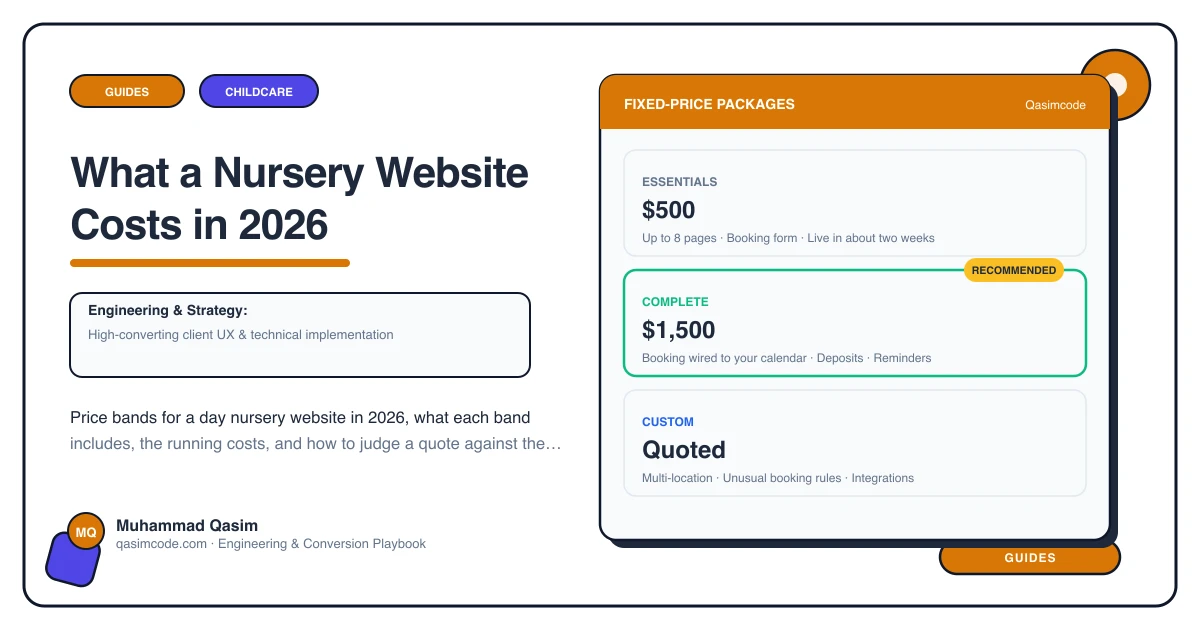
What we build: Essentials at $500, Complete at $1,500
Built around how a parent chooses a nursery. Room pages as editable records, one per room, each with its own photography, age range, registered ratio, room leader and typical morning. The inspection rating shown and linked to the published report. Staff qualifications, first aid and the vetting checks you run. A fees and funding page as a table of session types matched to what your software invoices. Viewing slots wired to live availability, and a waitlist form landing in Famly, Blossom or Kinderly as an enquiry rather than in an inbox. A day-in-the-life page, menus, and the safeguarding policy published. Parent reviews near the buttons. Fast on a phone, structured data, tracking on every viewing booking.
You get: a site that ranks in your catchment, answers the fees call before it happens, and turns a 10pm search into a Tuesday viewing.
Not usually included: photography and copy unless the quote says so.
Right for: a single-site nursery with rooms to fill.
When it goes past that: Custom, quoted after a call — groups and multi-site
Two or more settings with separate room structures, separate inspection outcomes, separate fee schedules and separate viewing calendars, under one brand with a location finder. Add a careers section, because recruitment is the second thing a nursery group needs its site to do.
After launch
- Hosting: managed WordPress at $20 to $50 a month, or often free on a framework host, in your name.
- Domain: small, annual, and it must be registered to the company rather than to a former manager.
- Nursery software: whatever you already pay Famly, Blossom, Kinderly or your provider.
- Viewing booking tool: a modest monthly fee if your software does not book tours.
- Maintenance: a care plan, which is where the fee schedule, the inspection date and the room photographs get kept current.
- Photography: half a day on site, with the consent register beside the shot list.
Where the money goes
- Room pages as records, so the toddler room can be edited when the leader changes without a developer.
- The fees and funding page, matched to your invoicing, with session types, what is included, extras, and funded hours explained for the country you operate in.
- Live viewing slots on the afternoons you actually show parents round, with a confirmation carrying parking, buggy access and the fees link.
- The waitlist, captured with the child's date of birth and preferred start so you can forecast the room.
- Photography and the consent handling around it.
- Speed, local search and tracking on viewing bookings and call taps by page.
Judging a quote
Ask six things. Does each room get its own editable page. Does the fees page match what my software invoices, and can I change it in September myself. Can a parent book a viewing at 10pm, and does the waitlist land in my nursery software. Are the photographs mine. What is the mobile speed target. Whose name are the domain and hosting in. A quote that cannot answer those is a template quote whatever the number on it says.
Where this sits
Our nursery and daycare websites are built to that standard at a fixed price, with room pages, the fees and funding page, viewing booking and the waitlist included, and the wider approach is on the childcare business page. If your site is a template or a booking-platform page and the office still spends every morning explaining funded hours on the phone, weigh the build against the places those callers did not take.