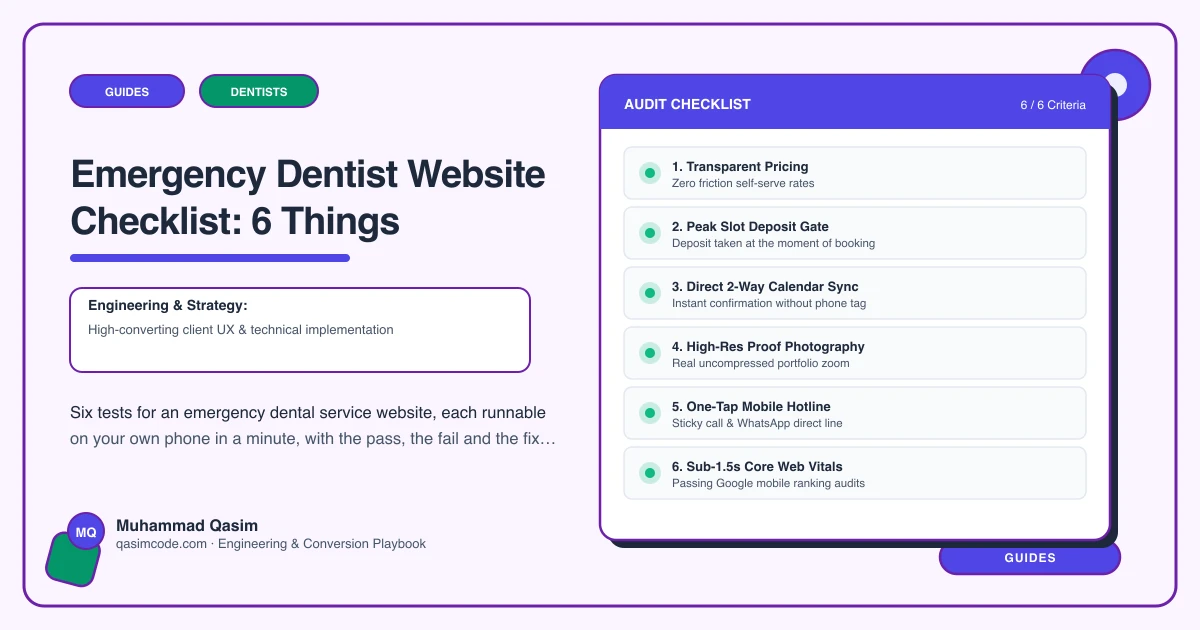
Six tests, ten minutes
An emergency dental page has six jobs. Each has a test you can run on your own phone between patients. Run them on mobile data, in a private window, away from the practice wifi, as a stranger would at nine in the evening. The first three decide whether you get the patient at all.
1. Appear in under two seconds
Test: load the emergency page on a mid-range phone on mobile data. Count out loud until the phone button is visible and tappable.
Pass: under two seconds, Core Web Vitals Good on mobile.
Fail: a blank screen, then a hero image, then a chat bubble, then eventually your content.
Fix: one image at most and no video. Slider off. Page builder off for this route. Chat widget removed or deferred. Booking embed loaded on interaction rather than on page load. Hosting above the cheapest tier.
2. Call in one tap
Test: without scrolling, tap the phone number. Does it dial? Are the hours stated next to it?
Pass: tap-to-call as a button above the fold on every screen size, persistent as you scroll, with hours beside it.
Fail: the number in the footer, the number inside an image, or a number that opens a contact form instead.
Fix: the number as a real telephone link styled as a button, in the first screen and in a sticky element. Hours written in words, including the out-of-hours arrangement. Check that the cookie banner does not cover it on a small phone.
3. Show a time, not a promise
Test: can a stranger tell whether you have an appointment today?
Pass: live emergency slots pulled from the diary where Dentally, Software of Excellence, Dentrix, Open Dental or Curve Dental exposes online booking, or a firm stated commitment such as same-day appointments every weekday.
Fail: "call to enquire about availability", or a general booking link that opens a list of check-up slots.
Fix: create one Emergency appointment type, hold slots back for it every day, expose it to online booking and deep link straight to it. Where the software will not do that, state the commitment plainly and make the phone the primary action. Then protect those slots operationally, because a page showing availability you do not have is worse than one showing none.
4. State the fee
Test: find what an emergency visit costs. Time yourself.
Pass: the emergency assessment fee in the first screen or immediately below it, with what it covers and honest ranges for common follow-ups.
Fail: nothing, a link to a fees PDF, or "fees available on request".
Fix: a short fee block on the page, held as editable content so your team can change it without a developer. Say what the fee includes and what it does not. This is the block practices most often resist and the one that most reliably converts.
5. Answer the unregistered patient
Test: if you were not a patient of this practice, would you know within thirty seconds whether they would see you?
Pass: a plain paragraph saying whether you see unregistered patients for emergencies, what they need to bring, and how follow-up and registration work afterwards.
Fail: silence, or wording that assumes the reader is already on your list.
Fix: write the paragraph as it is actually true for your practice. If you only see registered patients, say so, and point elsewhere. Being clear costs you nothing and saves the phone calls.
6. Be findable, and be readable by machines
Test: search your town plus "emergency dentist" on a phone, logged out. Do you appear? Does your listing show hours?
Pass: a dedicated emergency page, opening-hours structured data, the town in the heading and copy, the service listed on your Google Business Profile with a link to the page.
Fail: the word emergency buried in a paragraph on a treatments page, and no hours markup anywhere.
Fix: give it its own page and its own URL. Add hours as structured data, driven from the same data the page displays so the two cannot drift. List the service on your Business Profile. Do not overclaim hours you do not keep.
The one that is not a website test
Any what-to-do-now or first-aid guidance on the page is clinical content. It must be written and approved by a clinician at your practice, dated, and reviewed on a schedule. If nobody in the practice has time to own it, leave the section out and point to the appropriate local urgent dental service instead. A web team must never draft that wording.
Scoring
Six out of six and the page is doing its job. Keep the hours and fees current, and re-check the load time after every change to the site.
Four or five: fix the failures individually. None of them needs a rebuild.
Three or fewer, with tests one, two or three among them: you are losing patients every night the page is up, and you will never see them in a report, because they left before anything was recorded.
Where this sits
This is the launch checklist for every emergency dentist website we build, and the first ten minutes of a review on one you already have. The same six jobs in different forms sit behind the wider dental practice websites we make, and what the packages include is on pricing. For an emergency service, test one is the one that changes the numbers fastest.