People search for the problem, not the practice
Nobody types "podiatry clinic" into a search box at eleven at night. They type "ingrown toenail removal", "verruca treatment", "heel pain specialist", "diabetic foot check".
That is the whole shape of the build. Each of those is a page, in the words a patient actually uses, ending in a booking button. A clinic that lists its treatments as bullets on one Services page is invisible for every one of those searches. The page count is not padding — it is the product.
A second naming point worth budgeting for
Older patients search for a chiropodist. Younger ones search for a podiatrist. They are the same profession, and a site that only uses one word is missing half its audience.
Building for both — being findable either way, while explaining plainly that they are the same thing — costs nothing extra if it is planned. Retrofitting it later means rewriting every page.
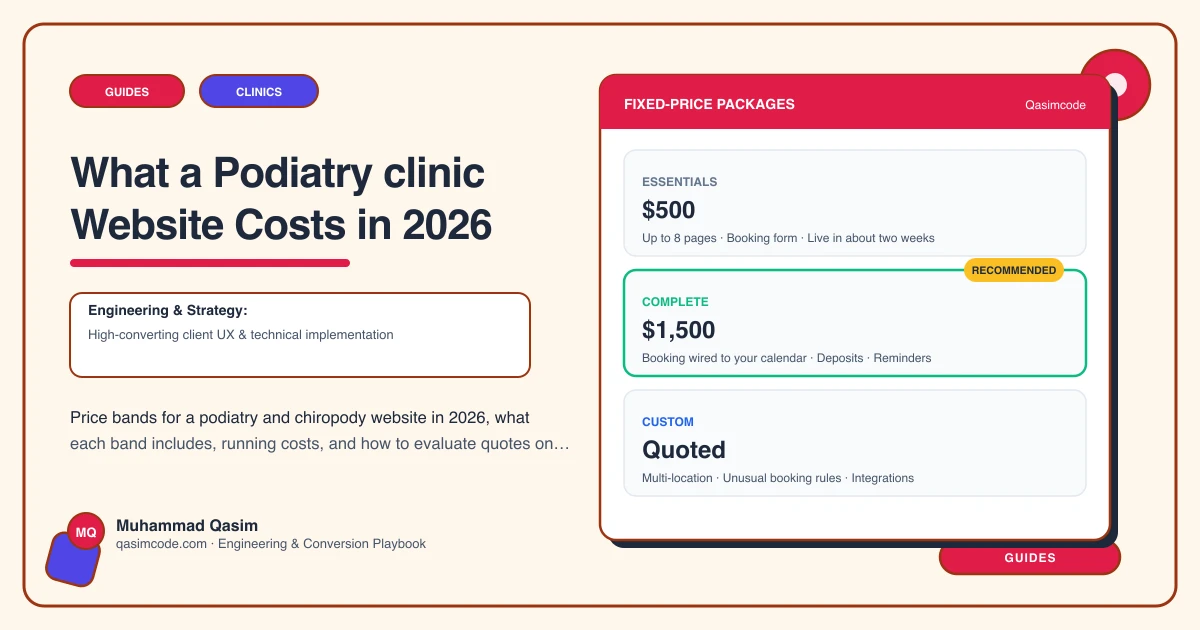
The recommended build: Complete at $1,500
Twenty pages across roughly four weeks, four rounds of changes:
- A page per problem, each with its price and a booking button
- Booking with appointment types set to the right durations
- A home-visit page: areas covered, what the visit involves, how to book it
- Practitioner profiles with qualifications and registration numbers
- Fees per treatment, with recognised insurers listed
- A build that is readable for older patients: large text, high contrast, the phone number on every screen
Two details that pay for themselves
Appointment durations. Nail surgery booked into a routine slot wrecks an afternoon. Setting durations per treatment in the booking tool is a one-off configuration that protects the diary permanently.
The home-visit page. Domiciliary work is a large part of many practices and is frequently the most profitable page on the site — and it is the page most often missing entirely. If you do home visits and the site does not say so, you are turning away the enquiries you would most want.
Where Essentials at $500 works
A single practitioner covering the common problems on fewer pages can start on eight pages in about a fortnight, with booking included. You keep the home-visit page. What you give up is breadth of problem coverage, which is exactly what brings the traffic, so plan to grow into the larger version.
An existing site
Diagnosis is $299 with a report in three days: what is broken, what each fix costs, and a straight answer on repairing versus rebuilding. Diagnosis and fix is $799 over about two weeks.
Monthly, after launch
- Domain, renewed yearly in your own name
- Clinic software, paid direct to Cliniko, Jane, Zanda, Power Diary or Nookal
- Hosting
- A care plan if prices, new treatments and insurer lists should be kept current for you: Basic $99/mo, Growth $249/mo with four hours of changes
What changes the quote
- How many foot problems get their own page
- Whether home visits need areas and address capture
- How many practitioners need a profile with registration
- Whether orthotics need their own pricing and pathway
- How many insurers have to be explained
Where this sits
We build podiatry and chiropody websites around a page per problem at a fixed price. The wider clinic view is on the clinics page.