The six an osteopath is choosing between
Cliniko, Jane, Zanda, Power Diary, TM3 and Nookal. Those are the systems osteopathic practices run, and all six already cover what a website needs from a diary: a clean embed on your own pages, a new patient handled as a different booking from a returning one, and reminders and intake forms that go out without anybody typing them.
So capability is rarely the deciding factor. What decides it is how the software behaves at your size, what reception touches every day, and what the embed does to the page it lands on.
Why there is no ranking here
A ranked table would be dishonest. The tool that suits one osteopath renting a room two days a week is not the tool that suits a five-practitioner clinic sharing premises with a podiatrist, and feature lists move faster than any blog post. We are not going to publish per-product claims we cannot stand behind.
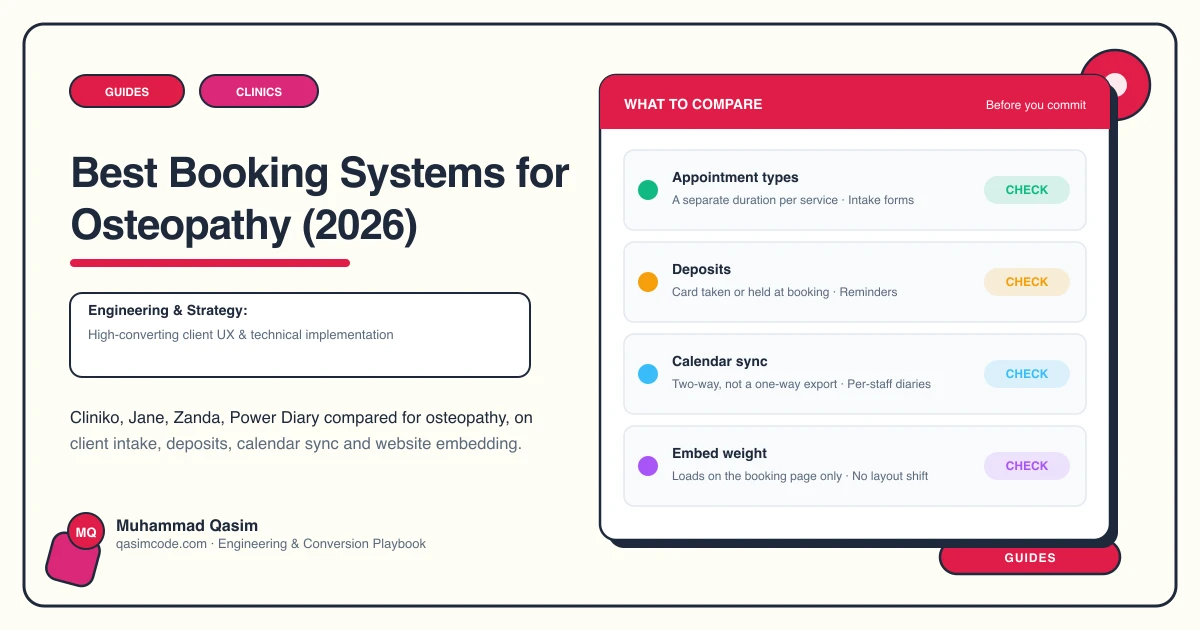
So here are the questions that separate these six for an osteopathic practice. Put them to a trial account with your own appointment types loaded, before anything is migrated.
Is a new patient a different appointment from a follow-up?
A first appointment is longer: a case history and an examination happen inside it. Check that the initial appointment exists as its own bookable type with its own duration and price, that the public booking page offers it by default, and that returning patients can be kept out of it. Getting this wrong is how a first visit ends up squeezed into a follow-up slot.
Does the intake form arrive before the patient does?
Ask when the form goes out — on booking, or a set interval before the appointment — whether it can be finished on a phone without an app or a login, and what the software does when it comes back empty. A form that only exists as an attachment on the confirmation email is a clipboard in the waiting room with extra steps.
Can a patient book a named osteopath?
In a group practice people ask for a person. Three things to check: whether availability can be filtered to one practitioner, whether each carries their own appointment types and durations, and whether a stable link exists that opens one osteopath's diary alone. That link is what a practitioner profile page needs behind its button.
What happens when the day falls apart?
A cancellation at eleven, a room lost, a treatment that runs long. Ask how a freed slot reaches the next person, whether a waiting list exists and who it notifies, how a patient moves an appointment without ringing, and whether a card can be held against the booking at all. Reception cares about this more than any feature on the marketing page, and almost nobody tests it.
What does the embed do to the page?
The question nobody asks and everyone then lives with. Put the embed on a test page, open it on mobile data on a real handset, and watch three things: how long the widget takes to appear, whether the page jumps when it does, and whether the calendar is usable at phone width without pinching. People search in pain, on a phone; a widget that costs two seconds loses a patient who had already decided.
What does leaving look like?
Before you join, ask how patient records, notes, documents and appointment history come back out, in what format, and how long the export takes. A practice that cannot leave its software ends up designing its website around that software's limits. Patient data also carries obligations that differ by country; the country pages cover what applies where you practise.
Then keep it off the rest of the site
Whichever you pick, the widget belongs on the page where somebody books and nowhere else. The what-we-do page and the first-visit page are what earn the booking, and slowing those down to save one embed code trades the explaining for the convenience. A dedicated booking page, or a widget that loads on tap, keeps both quick.
Where this sits
Every osteopathy clinic website we build embeds whichever of these six you already run, at a fixed price. For what the build itself costs, read what an osteopathic practice website costs. If the site is the problem rather than the diary, start with why your osteopathy website gets no bookings.